> ## Documentation Index
> Fetch the complete documentation index at: https://companyname-a7d5b98e-cex-integration-docs.mintlify.site/llms.txt
> Use this file to discover all available pages before exploring further.

# Get your TON Center API key

To interact with TON Center’s API at higher rate limits, you’ll need to generate an API key via the official [Telegram bot](https://t.me/toncenter).

## Open the TON Center bot

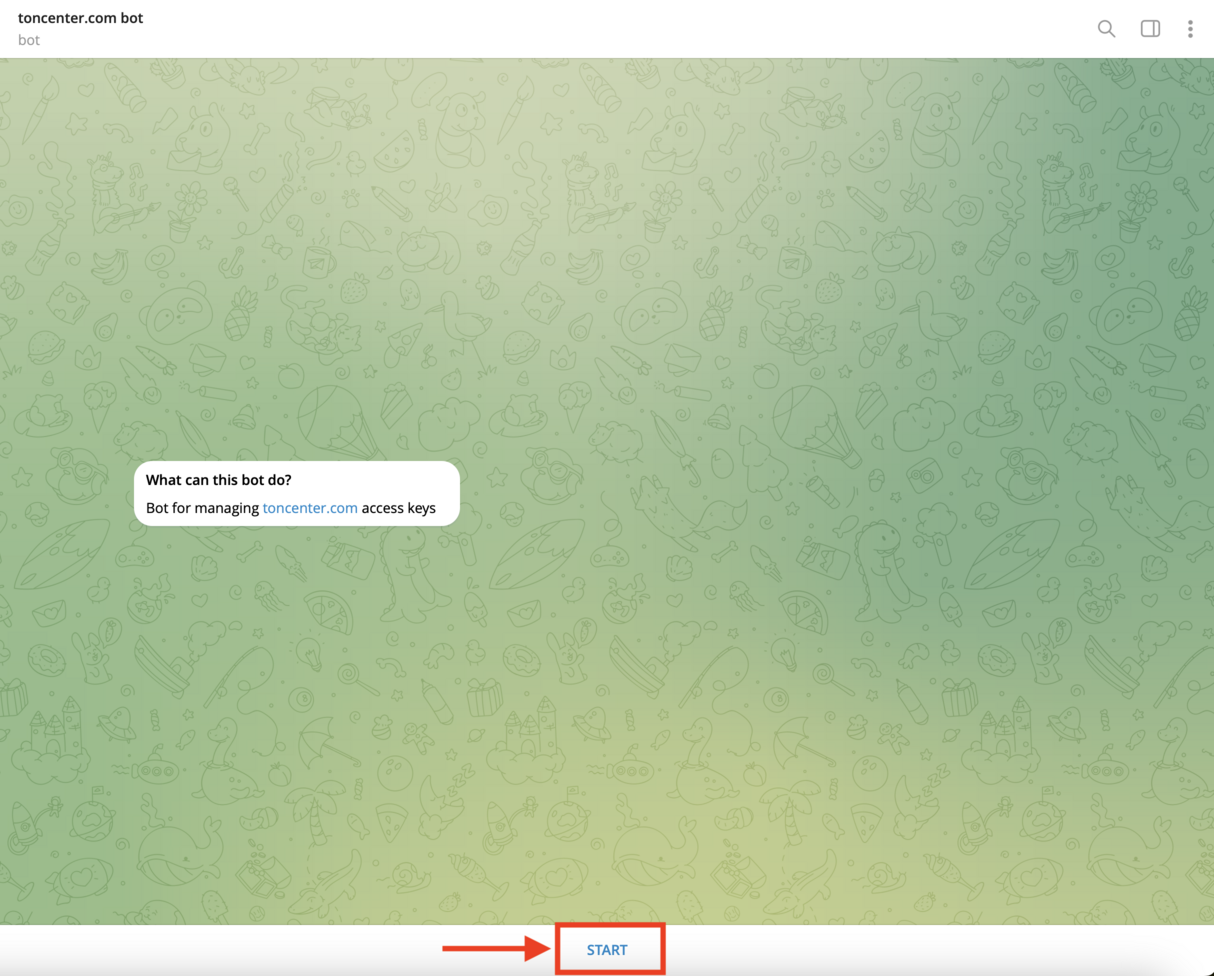
Open the [`@toncenter`](https://t.me/toncenter) bot in Telegram. Click **Start** to begin the setup.
<img src="https://mintcdn.com/companyname-a7d5b98e-cex-integration-docs/pjr1rj0YU5LtxTnT/resources/images/ton-center/api-key/start-bot.png?fit=max&auto=format&n=pjr1rj0YU5LtxTnT&q=85&s=8bf18187919883404c4521b1c23ebbf0" alt="Start Bot" width="1214" height="976" data-path="resources/images/ton-center/api-key/start-bot.png" />

## Open the API keys manager

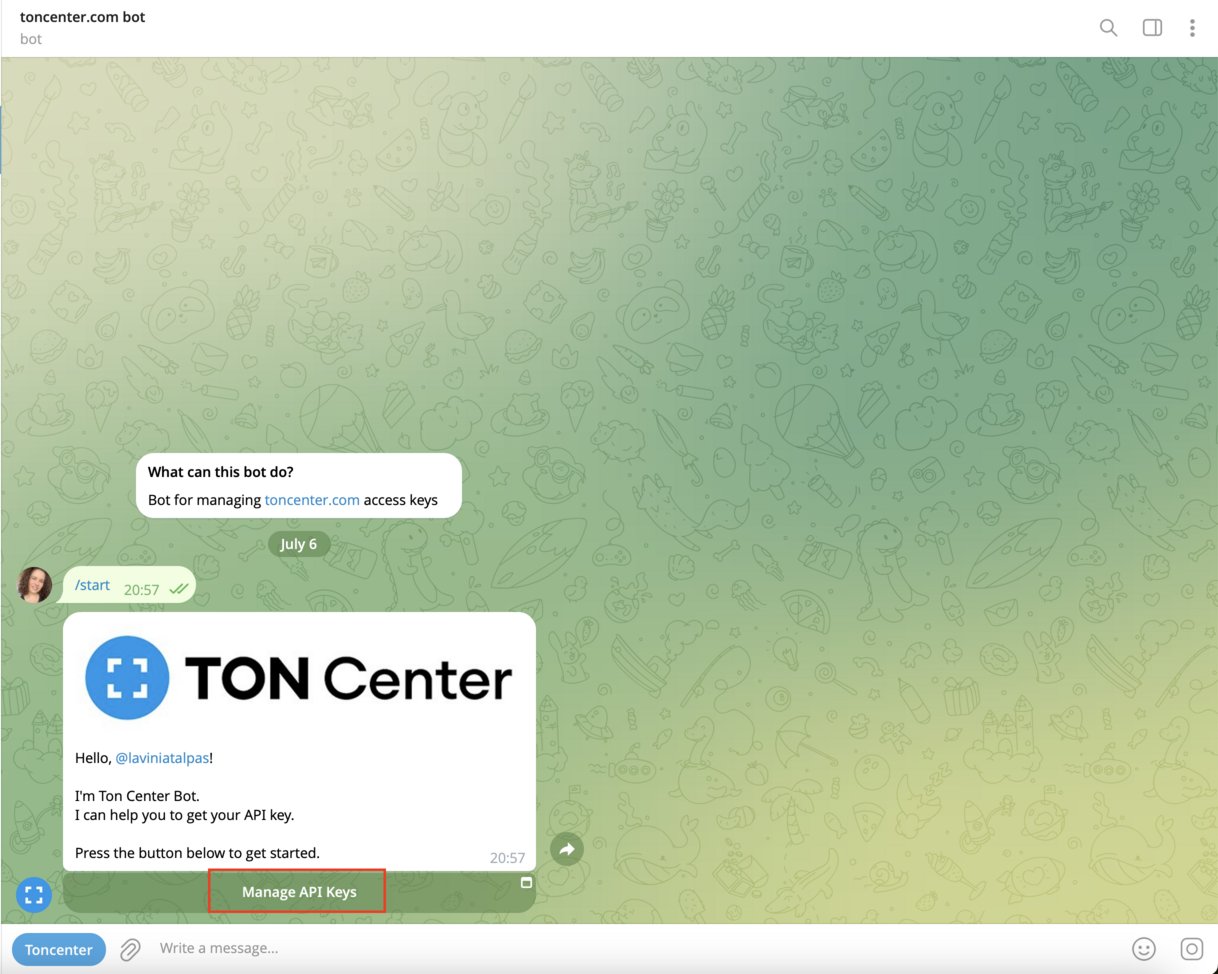
Once the bot greets you, press **Manage API Keys**.
<img src="https://mintcdn.com/companyname-a7d5b98e-cex-integration-docs/pjr1rj0YU5LtxTnT/resources/images/ton-center/api-key/manage-api-keys.png?fit=max&auto=format&n=pjr1rj0YU5LtxTnT&q=85&s=ce5fe6dcb2643f215b01ea264e96de39" alt="Manage API Keys" width="1218" height="974" data-path="resources/images/ton-center/api-key/manage-api-keys.png" />

## Choose a subscription plan

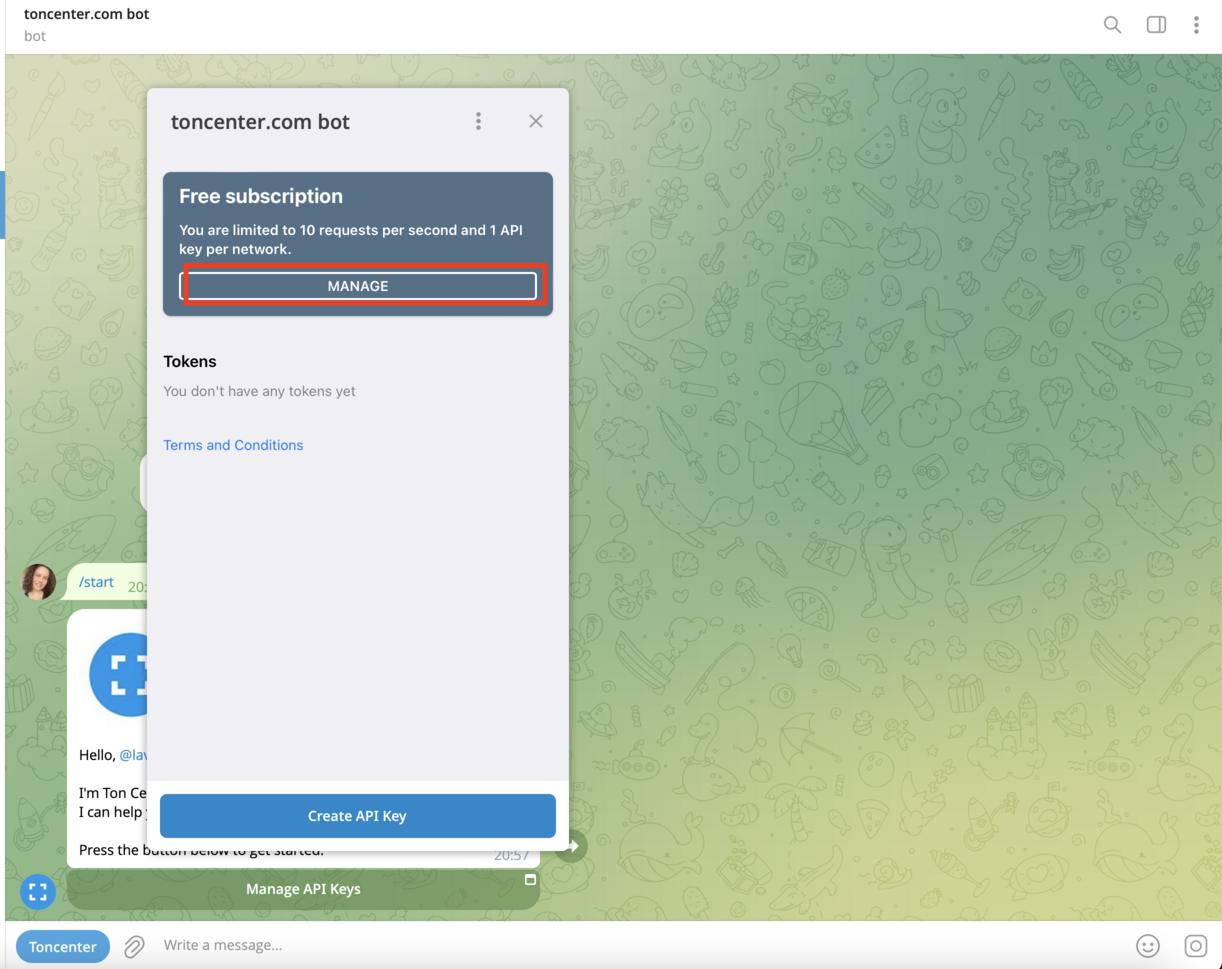
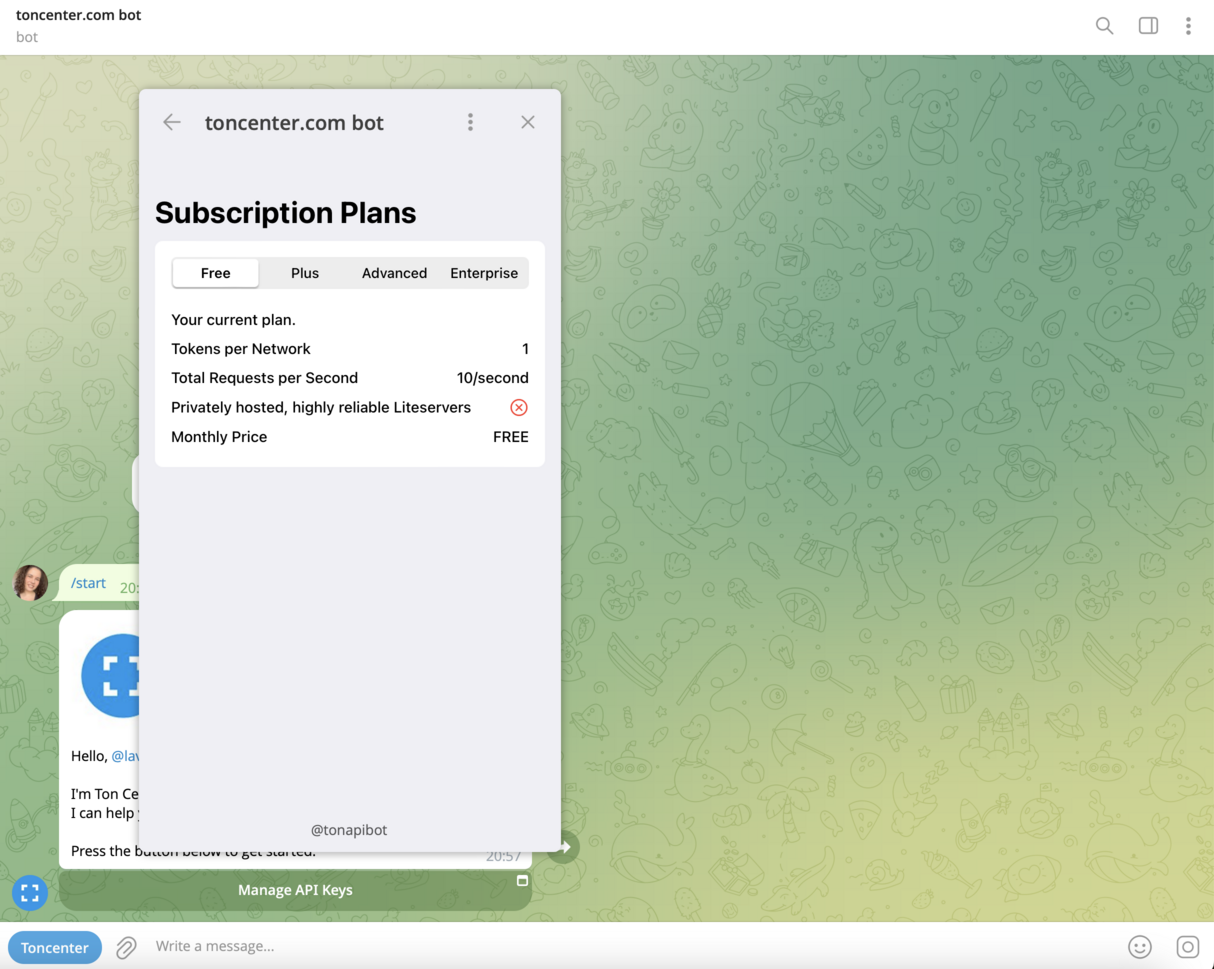
Click **Manage** to open your current subscription details. The default API subscription is the free one.
<img src="https://mintcdn.com/companyname-a7d5b98e-cex-integration-docs/pjr1rj0YU5LtxTnT/resources/images/ton-center/api-key/subscriptions.png?fit=max&auto=format&n=pjr1rj0YU5LtxTnT&q=85&s=2ccfecba8c72a74466286796435e5da0" alt="Subscriptions" width="1222" height="969" data-path="resources/images/ton-center/api-key/subscriptions.png" />

<img src="https://mintcdn.com/companyname-a7d5b98e-cex-integration-docs/pjr1rj0YU5LtxTnT/resources/images/ton-center/api-key/subscriptions2.png?fit=max&auto=format&n=pjr1rj0YU5LtxTnT&q=85&s=68b2f14c441223d76f9215f1abcf47f8" alt="Subscriptions" width="1214" height="969" data-path="resources/images/ton-center/api-key/subscriptions2.png" />

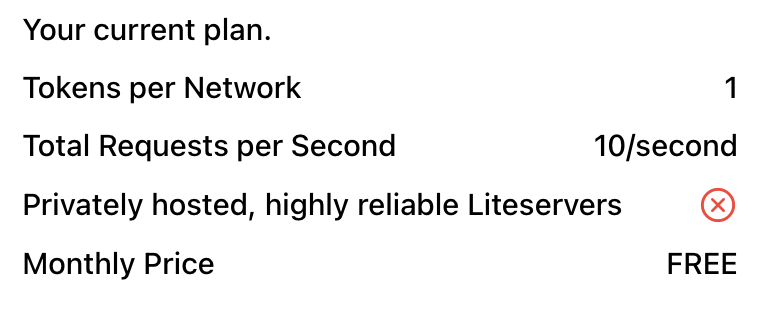
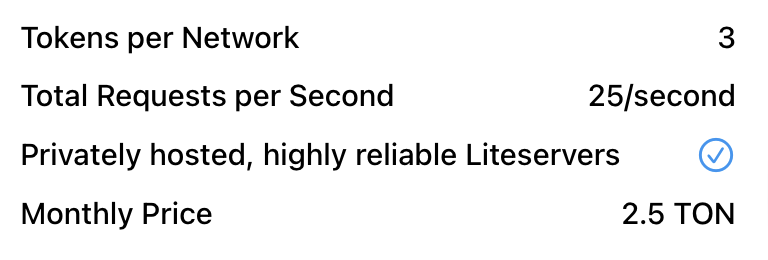
You’ll see different tiers available:

* **Free** – 10 requests/sec, 1 token per network
* **Plus** – 25 requests/sec, 3 tokens per network (2.5 TON/month)
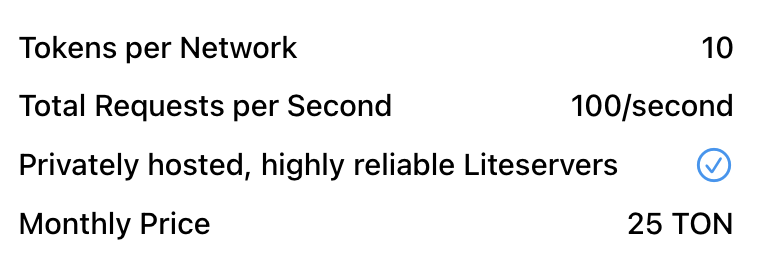
* **Advanced** – 100 requests/sec, 10 tokens per network (25 TON/month)
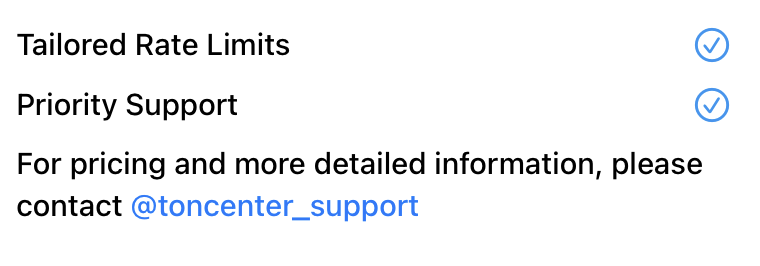
* **Enterprise** – Tailored rate limits, priority support
<Tabs>
  <Tab title="Free">
    <img src="https://mintcdn.com/companyname-a7d5b98e-cex-integration-docs/pjr1rj0YU5LtxTnT/resources/images/ton-center/api-key/plan-free.png?fit=max&auto=format&n=pjr1rj0YU5LtxTnT&q=85&s=0eeae38ad6e77fc48fea71bb3025fb95" alt="Free Plan" width="764" height="312" data-path="resources/images/ton-center/api-key/plan-free.png" />
  </Tab>

  <Tab title="Plus">
    <img src="https://mintcdn.com/companyname-a7d5b98e-cex-integration-docs/pjr1rj0YU5LtxTnT/resources/images/ton-center/api-key/plan-plus.png?fit=max&auto=format&n=pjr1rj0YU5LtxTnT&q=85&s=bd06448d93a5664e8594977d1dec4118" alt="Plus Plan" width="768" height="260" data-path="resources/images/ton-center/api-key/plan-plus.png" />
  </Tab>

  <Tab title="Advanced">
    <img src="https://mintcdn.com/companyname-a7d5b98e-cex-integration-docs/pjr1rj0YU5LtxTnT/resources/images/ton-center/api-key/plan-advanced.png?fit=max&auto=format&n=pjr1rj0YU5LtxTnT&q=85&s=9ec244c6e33065d655c60499858bf698" alt="Advanced Plan" width="764" height="276" data-path="resources/images/ton-center/api-key/plan-advanced.png" />
  </Tab>

  <Tab title="Enterprise">
    <img src="https://mintcdn.com/companyname-a7d5b98e-cex-integration-docs/pjr1rj0YU5LtxTnT/resources/images/ton-center/api-key/plan-enterprise.png?fit=max&auto=format&n=pjr1rj0YU5LtxTnT&q=85&s=7444088d3b54545c94f76935a7d45bbf" alt="Enterprise Plan" width="760" height="266" data-path="resources/images/ton-center/api-key/plan-enterprise.png" />
  </Tab>
</Tabs>

## (optional) Upgrade your plan

To upgrade:

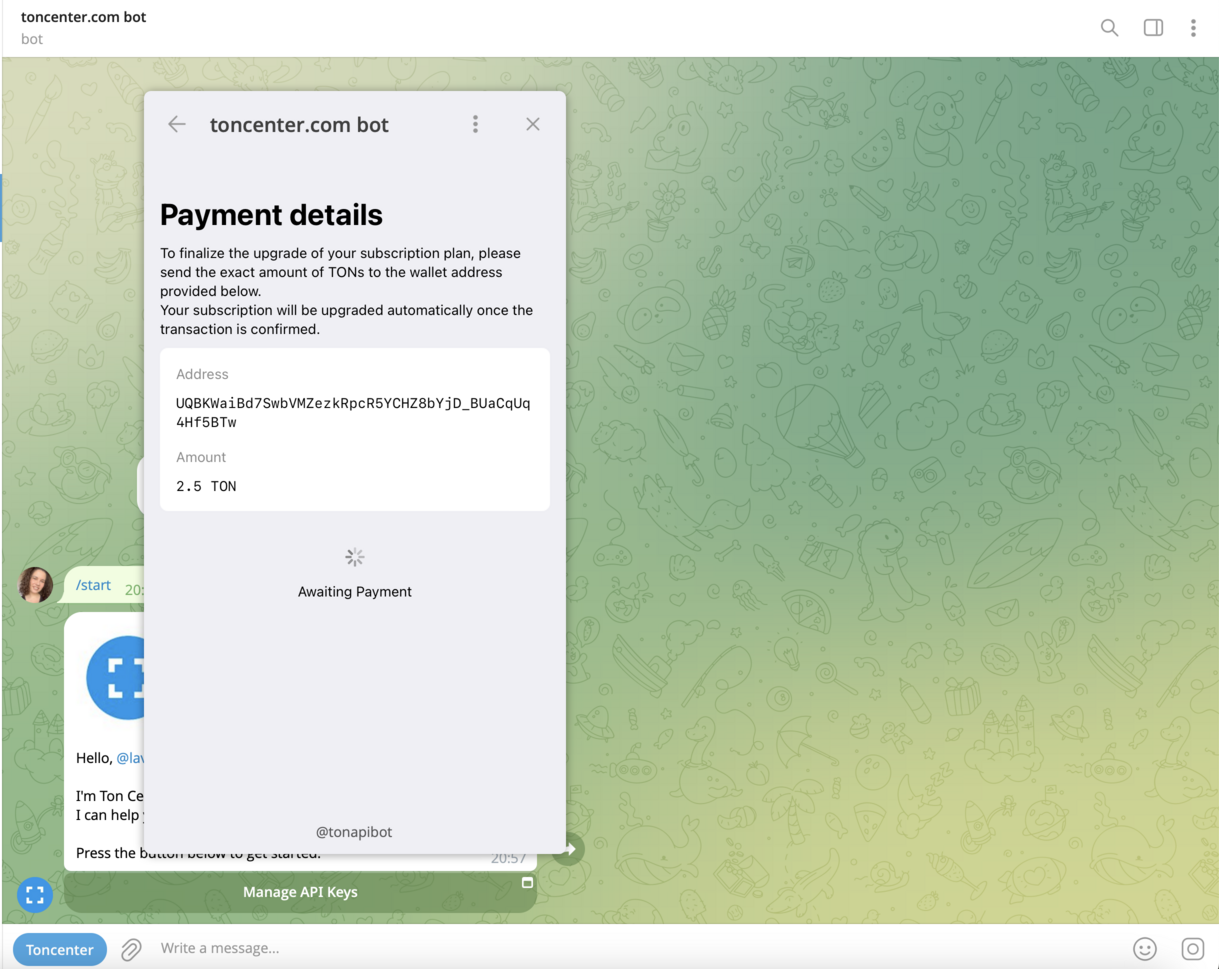
* Select your desired plan in the bot interface and click **Purchase Subscription**.

* You’ll be shown payment instructions like the following:
  <img src="https://mintcdn.com/companyname-a7d5b98e-cex-integration-docs/pjr1rj0YU5LtxTnT/resources/images/ton-center/api-key/payment.png?fit=max&auto=format&n=pjr1rj0YU5LtxTnT&q=85&s=451aabc59aa8a0ba01327796b880742a" alt="Payment" width="1219" height="969" data-path="resources/images/ton-center/api-key/payment.png" />

* Send the **exact amount** of TON to the address provided.

* Your subscription will upgrade automatically once the transaction is confirmed.

## Create your API key

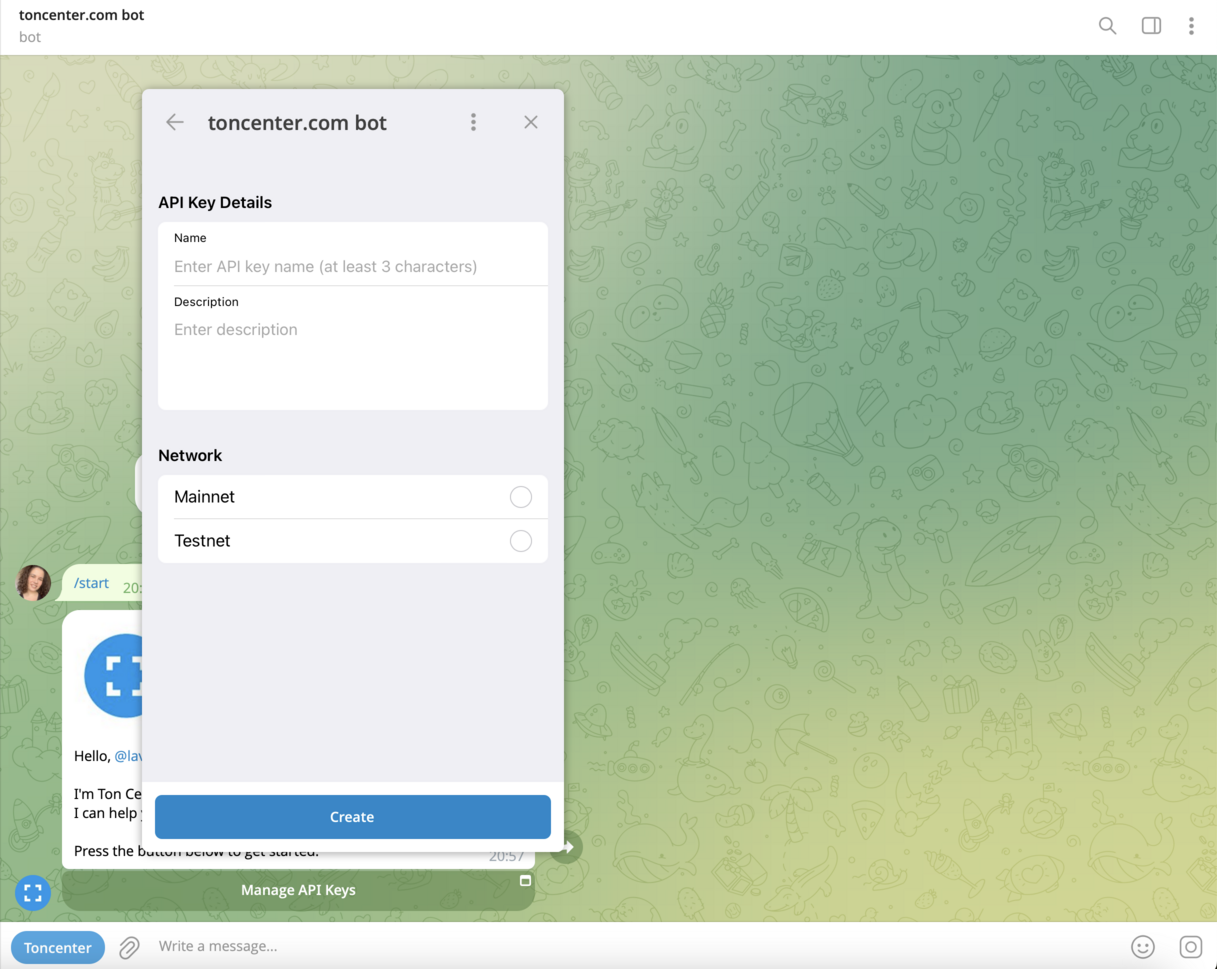
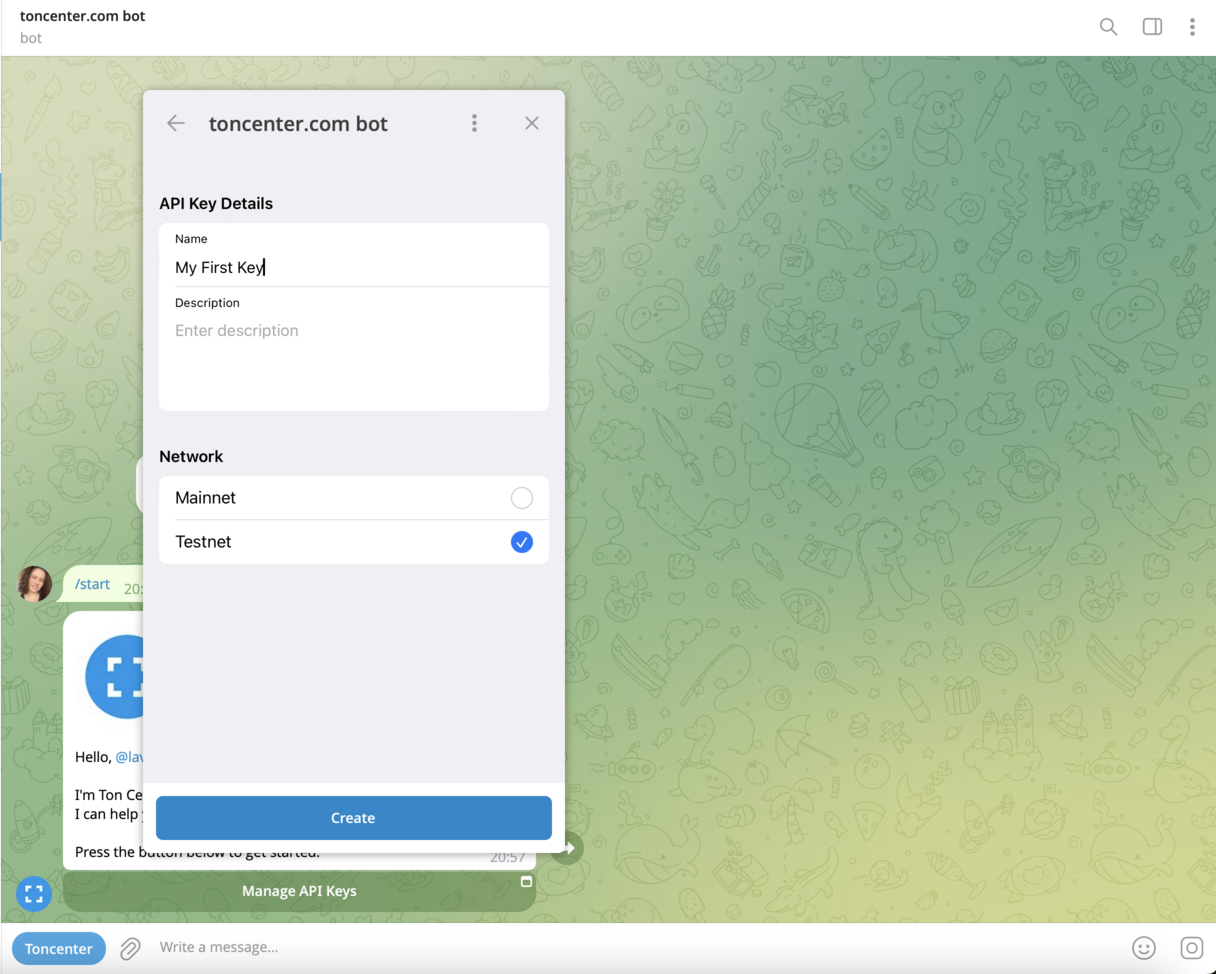
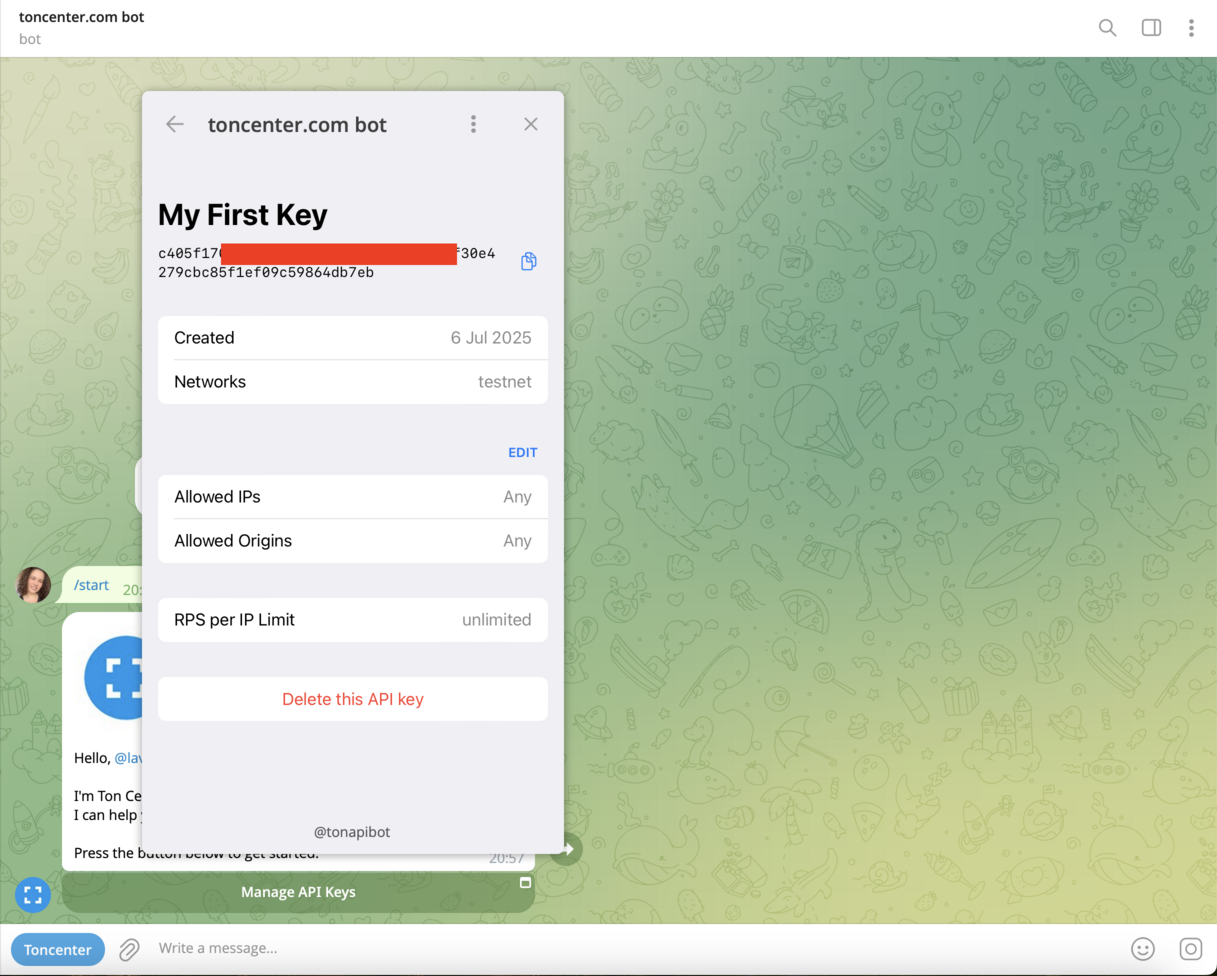
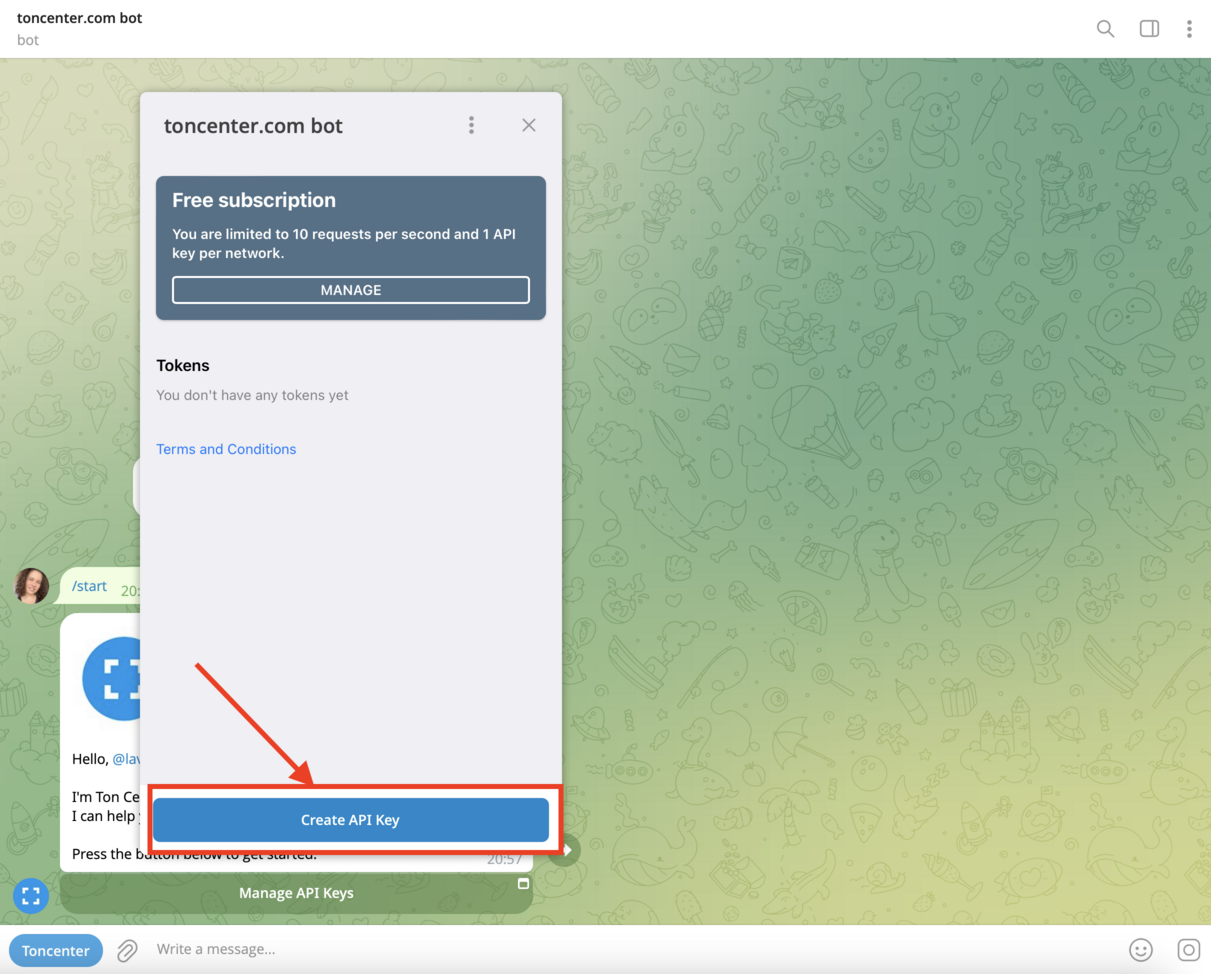
After subscribing (or staying on Free), click **Create API Key** to generate your key.

Once created, your token will appear in the list and can be used in all authenticated requests.
<img src="https://mintcdn.com/companyname-a7d5b98e-cex-integration-docs/pjr1rj0YU5LtxTnT/resources/images/ton-center/api-key/create-key.png?fit=max&auto=format&n=pjr1rj0YU5LtxTnT&q=85&s=01a948c9ef18775cc5e0acf72be4dbd1" alt="Create API Key" width="1211" height="974" data-path="resources/images/ton-center/api-key/create-key.png" />

<img src="https://mintcdn.com/companyname-a7d5b98e-cex-integration-docs/pjr1rj0YU5LtxTnT/resources/images/ton-center/api-key/create-key2.png?fit=max&auto=format&n=pjr1rj0YU5LtxTnT&q=85&s=488b415cda99ae133e323fbf875ff0f4" alt="Create API Key" width="1217" height="969" data-path="resources/images/ton-center/api-key/create-key2.png" />

<img src="https://mintcdn.com/companyname-a7d5b98e-cex-integration-docs/pjr1rj0YU5LtxTnT/resources/images/ton-center/api-key/create-key3.png?fit=max&auto=format&n=pjr1rj0YU5LtxTnT&q=85&s=4c03ca955fc0fcd275b5c56124ba0036" alt="Create API Key" width="1216" height="974" data-path="resources/images/ton-center/api-key/create-key3.png" />

<img src="https://mintcdn.com/companyname-a7d5b98e-cex-integration-docs/pjr1rj0YU5LtxTnT/resources/images/ton-center/api-key/create-key4.png?fit=max&auto=format&n=pjr1rj0YU5LtxTnT&q=85&s=f6f87eb856dcdc07ed882a26543f700a" alt="Create API Key" width="1217" height="976" data-path="resources/images/ton-center/api-key/create-key4.png" />

## Get help

* General help: [`@toncenter_help_bot`](https://t.me/toncenter_help_bot)
* Support for enterprise and custom plans: [`@toncenter_support`](https://t.me/toncenter_support)